
27-08-2026
In an infinite loop of hilarity and ingenuity, the first piece of content on this website is about the creation of this very website itself. I don’t want to spend any more time on this than strictly required to get this where it needs to be right now.
First, let’s sketch a quick outline of where we want to end up at. Second, let’s find a way to get there.
Ready? Set? Go!
To give you an idea of where we are at the time of writing: we got nothing. Zero. Zilch. There is no site, no content, not even a domain registration or some form of hosting.
In this first piece of content, we want to end up in a position where you can see aforementioned content on your screen. If you are reading this: mission accomplished.
To start out, we will structure it approximately as follows:
- Sketch a quick outline of the site’s subpages
- Find some free bootstrap templates
- Find an AI agent to build it for me, bonus points for one-shotting it
- Register a domain and find a host
- Upload the relevant files
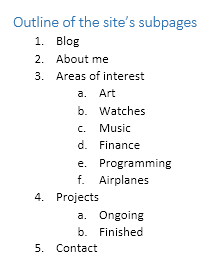
Outline of the site’s subpages
- Blog
- About me
- Areas of interest
- Art
- Watches
- Music
- Finance
- Programming
- Airplanes
- Projects
- Ongoing
- Finished
- Contact
Find some free bootstrap templates
I spent some time looking for free bootstrap templates using Google and found one I liked. Then it turns out to be paid. Google is free, meaning I am the product. A future project could be related to solving this issue. For now, as Google has correctly guessed, I’m more than willing to fork over the $19 they want for the template. I could spend time looking for a different one that is free or just try to get it for free. I could do that. I just don’t want to.
Mission failed, let’s fork over the cash and get this template: https://colorlib.com/wp/template/space/
Find an AI agent to build it (1)
I’ve been hearing good things about Claude. Installing it on Windows took only a few minutes. Let’s see if we can get the Free version to one-shot something we can use.
I’ve been running VS Code previously and I remember running into some irritations using it. Let’s use this project to see if I should make the switch. Let’s try and get Claude integrated into this abomination of an IDE so we can go ahead with our project.

IDE integration is a paid feature now, how wonderful. Triumphing over all software houses worldwide, defeating seemingly impossible odds with their now-characteristic curry scent, Microsoft has managed to VS Code into an even bigger pile of shit in the short time I looked away; an unwelcome but admittedly impressive feat of achievement.
Let’s see how far we can get with the Claude app itself before we consider moving to a new IDE and forking over even more cash. Let’s write it down before we forget to:
- Do the minimum amount of hand-editing of the provided .html files from the template to give Claude enough of a clean slate to work with – scrap everything that’s not strictly required and provide Lorem Ipsum placeholders only
- Get Claude to write a python script that can take this .docx file as input and spit out a properly formatted .html file (yes – I’m writing this in fucking Microsoft Word 2013 of all places!)
- Iteratively improve on the above
Upon inspection of the files, I have enough confidence to give Claude a shot at it. I also don’t feel like doing any hand-editing. However, I did realize that we haven’t figured out a name for this site yet. It seems useful to have this ready before proceeding further.
Registering a domain and getting a host
I’ve played with a few ideas in my head, but only a little bit (and as a treat!) and only for the past few days. I want an URL that’s playful. Let’s not waste any time right now thinking of a better domain, we can always do that later. I’m gonna register this one: ialsodontbelieve.it
I don’t feel like wasting too much time on this part.
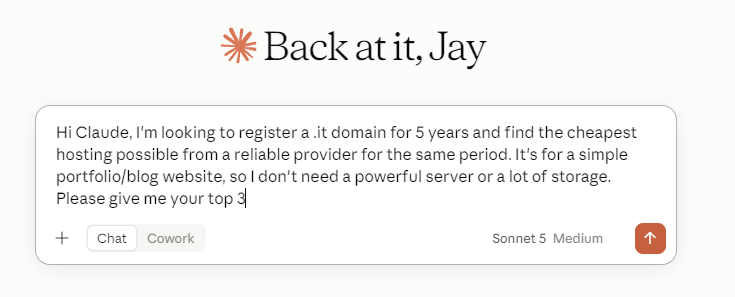
Based on Claude’s response, I’m going for OVHcloud.

OVHcloud is making it too difficult for me to give them money.
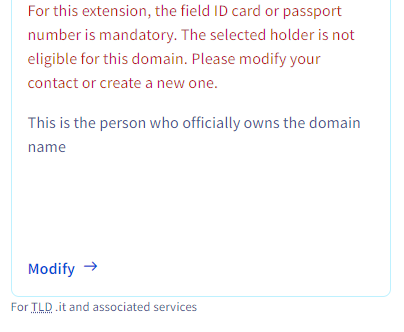
I can’t get rid of this error no matter what I try. Let’s try to do business with someone else: Hostinger.
We are also already through our free Claude usage limits, even though we’ve only asked a single question. Oh well.

Hostinger gave me no headaches. I paid 88 EUR for 2 years of hosting and 1 year of domain registration, 16 EUR to be billed next year for the domain for a grand total of 104 EUR to keep this up in the air for 2 years. That should be enough time to decide if we’re gonna be renewing with them or not. Let’s see.
Since we have to provide identifying information to get this domain and since I don’t feel like spending the time needed to get out of that, we have to make sure to set up a structure later that guarantees anonymity as much as possible. That means no linkbacks! We can use this domain and host for a while to get things off the ground but it’s important to realize the aforementioned. Proceeding..
While Hostinger is busy doing its thing and preparing me a landing strip, let’s fork over even MORE cash and get a Claude subscription at 18 EUR for a month.
Find an AI agent to build it (2)
Having regained access to Claude, we find ourselves in the following position a bit less than 2 hours after starting this project:
- Domain – registered
- Hosting – paid for, currently deploying
- Doggos needing walkies
We will take a short break to tackle point 3 on the list above and reboot, after which we will continue.
Find an AI agent to build it (continued)
Having crossed #3 off the list, we may now proceed. During the walkies I realized it may be interesting to timestamp this, so let’s start doing that. Additionally, why not have Claude spit out a Word 2013-inspired WISYWIG editor based on this fancy template we just splurged on? Let’s do that instead; it’s gonna take Hostinger another 12-24 hours to get everything ready on their side (or so they claim), so it’s not like we’re short on time. Let’s go!
[17.10]
I’ve been hearing amazing things about Claude and I’m excited to find out about it myself. I’m gonna feed it the most basic copy/paste from above prompt possible with the strongest model on the strongest possible setting.
Introducing our contender today: Claude – Opus 5 Ultracode (MAX Effort)
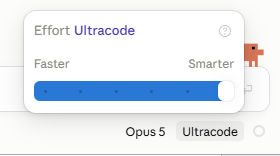
Our prompt:

Starting Claude at 17.21h.
[17.39]
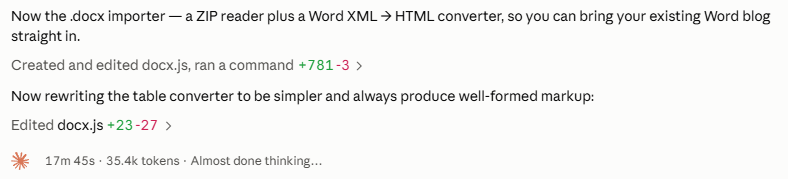
Somehow Claude has interpreted my prompt as including a conversion requirement. Going the extra mile here, it seems.
[17.51]
Instead of waiting around, we can start multiple sessions. Let’s start a new session with a new prompt:
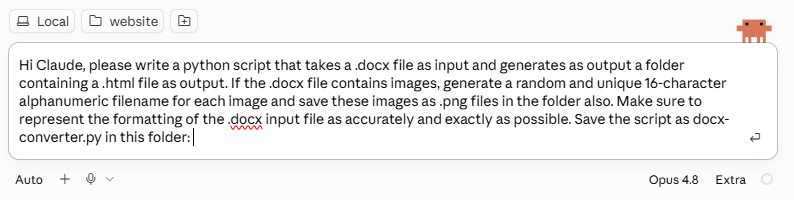
Note how I’m not giving it any example input to work with. Also note how I’m picking an earlier model. Lastly, it’s on Extra setting, not on Max.
[18.03]
The output of the first prompt looks promising so far. The second prompt just finished. Let’s go ahead and test it!
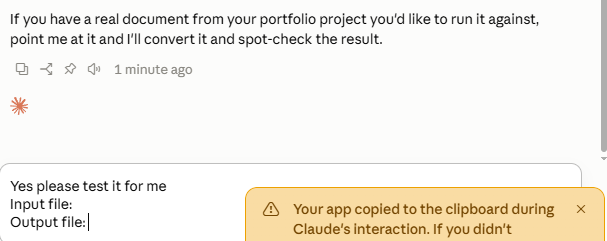
[18.14]
After debugging, the second prompt finished. The end product isn’t perfect and the python code isn’t pretty, but for a 45-minute effort on Claude’s part with a minimal amount on mine, it’s acceptable. For now.
| Original | Claude output |
 | 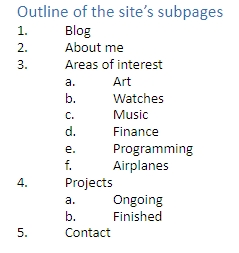 |
The first prompt has yielded interesting results. The task has not been completed as we are already hitting our usage limits.

Let’s take a look at the output.
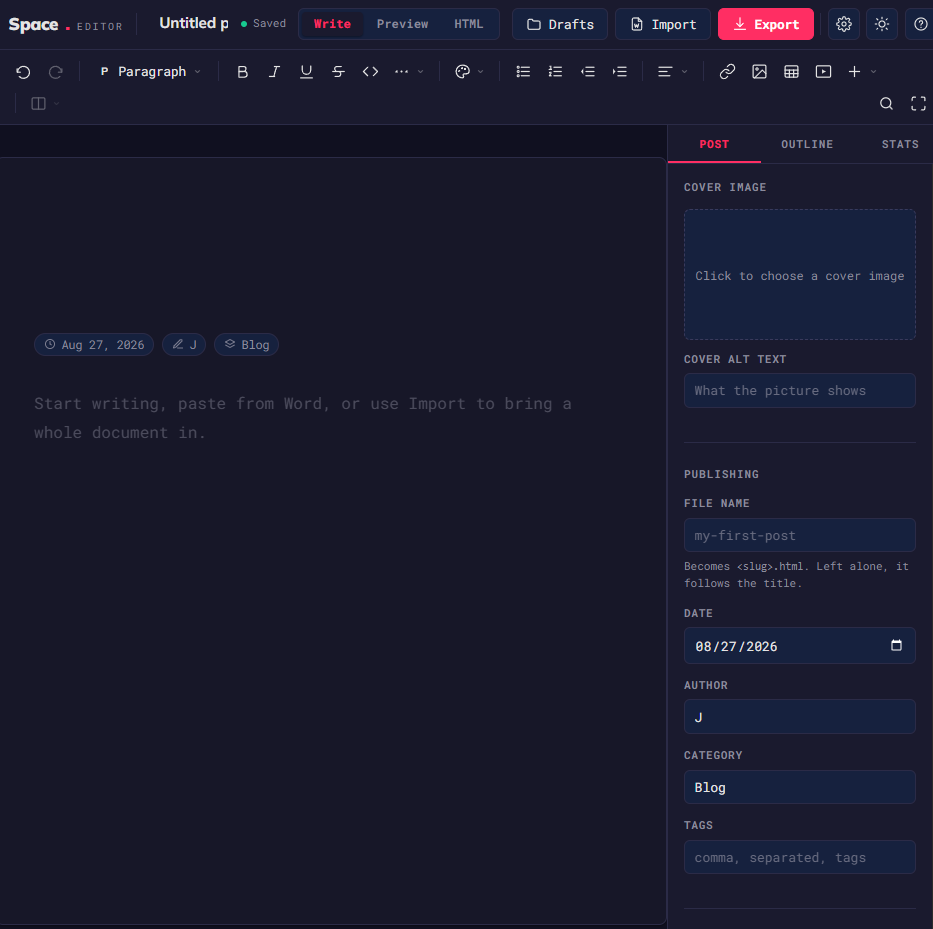
The editor itself looks nice enough.
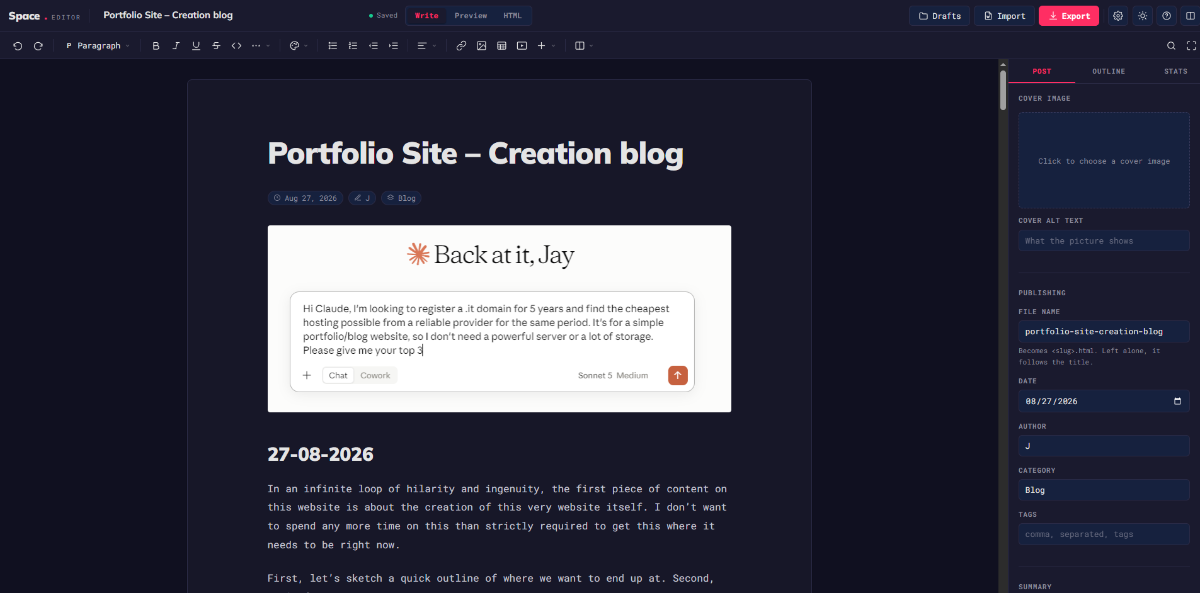
Let’s see if it actually works.
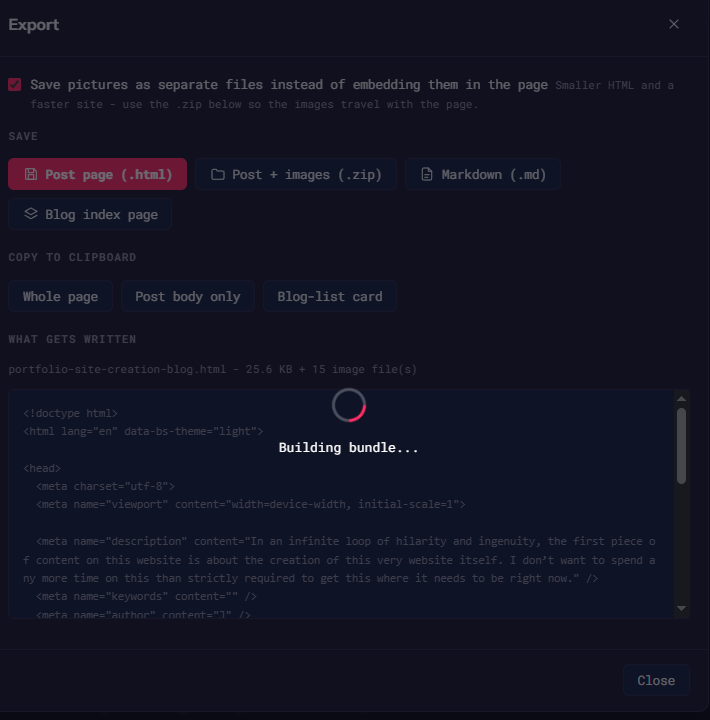
It does export .html files but it hangs on building the .zip bundle. If the checkbox is left unchecked, the images are base64-embedded into the .html file. An acceptable temporary solution.
[18.45]
Since we’ve ran out of tokens, I’ve started building the page by hand. Loving the VS Code experience.
[19.34]
Hostinger is ready. I’m far enough to publish something. We’ll feed this .docx file to Claude together with what we’re publishing right now to finalize this post.